

WordPress Multisite for Agencies: When to Use It?
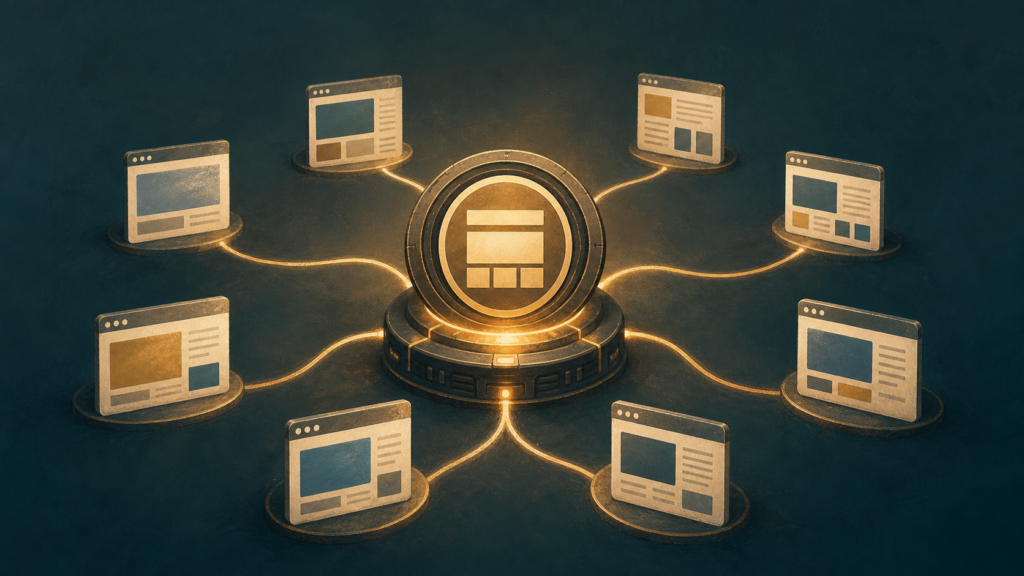
WordPress Multisite is a powerful solution for agencies when managing numerous client websites that share a common core functionality, theme, or plugin set, or when a centralized administration for multiple related sites is beneficial. It’s less suitable for highly disparate sites with unique requirements or when complete client autonomy over hosting and updates is paramount.
For digital agencies, the decision of how to manage client websites can significantly impact efficiency, scalability, and profitability. The allure of a single WordPress installation powering multiple sites is strong, promising streamlined updates, centralized user management, and simplified development workflows. However, this architectural choice isn’t a universal panacea; its benefits are deeply intertwined with the specific needs and operational models of an agency and its clients.
This in-depth article will dissect the strategic considerations behind adopting WordPress Multisite for agency use. We’ll explore the scenarios where it shines as a productivity multiplier, examine the potential pitfalls and limitations, and provide a clear framework for determining if this robust feature aligns with your agency’s growth trajectory and client service offerings. Prepare to gain a nuanced understanding that moves beyond surface-level recommendations.
What is WordPress Multisite and How Does it Function?
WordPress Multisite is a feature that allows a single WordPress installation to host multiple independent websites, all sharing the same core WordPress files, themes, and plugins. It functions by creating a network of sites managed from a central dashboard, offering agencies a streamlined approach to client website management.
Defining the core architecture of WordPress Multisite for agencies.
At its core, WordPress Multisite transforms a standard WordPress installation into a network hub capable of managing numerous distinct websites. This architecture is fundamentally different from individual WordPress installations, where each site operates in isolation with its own set of core files, database, themes, and plugins. In a Multisite setup, all sites within the network share a single codebase (the WordPress core files), a single set of installed themes, and a single set of installed plugins. However, each individual site within the network maintains its own unique database tables for content (posts, pages, comments, users), settings, and media uploads. This separation at the database level ensures that content and specific configurations for one client’s site remain distinct from another’s, even though they reside on the same server and share the same underlying WordPress installation. For an agency, this means installing a new theme or plugin once at the network level makes it available to all sites within the network, significantly reducing administrative overhead. For example, if an agency uses a premium SEO plugin like Yoast SEO or a page builder like Elementor across all client sites, it only needs to be installed and updated once for the entire network, rather than individually for 10, 20, or even 50 separate client sites.
Understanding the network administration and site management hierarchy.
The operational hierarchy of WordPress Multisite is divided into two primary roles: the Network Administrator (also known as the Super Admin) and individual Site Administrators. The Network Administrator possesses the highest level of control, overseeing the entire network. This role is typically held by the agency itself. The Network Admin is responsible for installing and updating themes and plugins, which are then made available to individual sites. They can also create new sites within the network, manage users across all sites, and configure network-wide settings such as domain mapping, allowed file types for uploads, and overall network security. For instance, a Network Admin can decide to activate a specific security plugin like Wordfence across all sites in the network, ensuring a consistent security posture for all client projects. They can also deactivate themes or plugins network-wide, preventing individual site administrators from using them. Below the Network Administrator are the individual Site Administrators. Each site within the Multisite network has its own Site Administrator, who has full control over their specific website but cannot affect other sites in the network or the network-wide settings. A Site Administrator can activate themes and plugins that have been made available by the Network Admin, manage their site’s content, users, and settings, and perform all standard WordPress administrative tasks for their particular site. This clear separation of duties allows agencies to grant clients administrative access to their own websites without risking the integrity or functionality of other client sites on the same network. For example, a client can update their site’s content, change their site’s theme (from those available), or manage their site’s users, all without needing to interact with the core WordPress files or network-level configurations.
Why Should Agencies Consider WordPress Multisite for Client Projects?
Agencies should consider WordPress Multisite for client projects primarily for its ability to centralize management, standardize development, and streamline deployment across numerous client sites. This architecture significantly reduces overhead, enhances consistency, and allows for more efficient resource allocation, ultimately boosting profitability and client satisfaction.
Exploring the benefits of centralized management for multiple client websites.
Centralized management is arguably the most compelling reason for agencies to adopt WordPress Multisite. Imagine an agency managing 50 client websites, each requiring security updates, plugin installations, and theme modifications. With individual WordPress installations, this translates to 50 separate login processes, 50 update cycles, and 50 potential points of failure. Multisite consolidates this into a single administrative dashboard. A network administrator can update WordPress core, themes, or plugins across all 50 sites simultaneously with a few clicks. This isn’t just about convenience; it’s a massive time-saver. For instance, a critical security patch for a popular plugin like Contact Form 7 can be applied network-wide in minutes, rather than hours or days spent logging into each site individually. This proactive approach significantly reduces the risk of security breaches and ensures all client sites benefit from the latest features and fixes without individual intervention. Furthermore, user management becomes more efficient. If a client has multiple sites within the network, their user accounts and permissions can be managed from a central location, simplifying access control and reducing administrative overhead. This centralized control also extends to branding and design consistency. Agencies can deploy a standardized set of themes and plugins across all client sites, ensuring a consistent brand experience and reducing the need for custom development on every single project. This is particularly beneficial for agencies specializing in a niche, such as real estate or hospitality, where a common set of functionalities and design elements are often required across multiple clients.
Analyzing the potential for streamlined development and deployment workflows.
The development and deployment advantages offered by WordPress Multisite are substantial, particularly for agencies with a high volume of similar projects. Instead of setting up a new WordPress environment for each client, agencies can leverage a pre-configured network. This means a new client site can be provisioned in minutes, not hours, by simply adding a new subsite to the existing network. This rapid provisioning drastically cuts down on initial setup time and costs. Consider an agency that builds brochure websites for small businesses. With Multisite, they can develop a robust base theme and a suite of essential plugins (e.g., SEO, caching, contact forms) once, and then deploy them across all new client sites. This “build once, deploy many” model is incredibly efficient. Updates to this base theme or plugin suite are then pushed network-wide, ensuring all client sites benefit from improvements without individual site-by-site development. This standardization also leads to fewer bugs and more predictable outcomes, as the core environment is consistent. For example, if a new feature is developed for one client, it can be easily integrated and tested across other relevant subsites within the network, accelerating the development lifecycle. Version control and staging environments also become more manageable. Agencies can maintain a single development network, a staging network, and a production network, allowing for seamless promotion of changes across environments. This structured approach minimizes deployment errors and ensures a smoother transition from development to live production, ultimately enhancing the agency’s ability to deliver projects on time and within budget.
When is WordPress Multisite the Optimal Solution for Agency Clients?
WordPress Multisite excels for agency clients when a centralized management system can streamline operations across multiple, related websites. It’s optimal for clients needing consistent branding, shared core functionalities, or efficient content distribution across a network of sites, significantly reducing development and maintenance overhead.
Identifying specific client scenarios that benefit most from a Multisite setup.
Multisite truly shines in scenarios where clients operate multiple web properties that share a common underlying purpose or organizational structure. Consider a large university with various departments, each requiring its own website (e.g., “history.university.edu,” “admissions.university.edu”). Instead of managing 50 individual WordPress installations, a Multisite network allows the agency to deploy a single core WordPress instance, manage themes and plugins centrally, and delegate site-specific content management to individual departments. This drastically reduces update cycles; a security patch or a new feature for a shared plugin can be applied once for all sites, rather than 50 times. Another prime example is a franchise business with numerous locations (e.g., “location1.franchise.com,” “location2.franchise.com”). Each franchisee needs a local presence, but the corporate entity demands brand consistency and often pushes out standardized promotions or product information. Multisite facilitates this by providing a unified codebase, shared branding elements (themes), and the ability to push global content updates from the network administrator. We’ve seen agencies reduce their monthly maintenance hours by 30-50% for such clients by consolidating to Multisite. Furthermore, clients with extensive internal communication needs, such as large corporations requiring intranets for different divisions or project teams, can leverage Multisite to create distinct, yet interconnected, internal portals.
Evaluating the suitability for clients requiring similar functionalities or branding.
The suitability of Multisite is heavily dependent on the degree of functional and branding commonality across a client’s web properties. If 70% or more of the required functionalities (plugins) and design elements (themes) are shared across the client’s sites, Multisite becomes a compelling choice. For instance, a real estate agency managing websites for 20 different agents will likely require the same IDX integration plugin, contact forms, and a consistent brand aesthetic. Deploying these once on a Multisite network and then enabling them for each agent’s sub-site is far more efficient than individual installations. This “single source of truth” for core components ensures consistency and simplifies troubleshooting. Imagine a critical security update for a widely used plugin; on a Multisite, it’s one update. On 20 individual sites, it’s 20 separate update processes, each with potential for error or oversight. Similarly, for clients with a strong corporate identity, Multisite enforces brand guidelines effortlessly. A custom theme developed for the network can be activated across all sub-sites, ensuring uniform typography, color palettes, and layout structures. This is particularly valuable for clients in regulated industries or those with strict brand compliance requirements. The cost savings in development, deployment, and ongoing maintenance for such clients can be substantial, often translating to a 25-40% reduction in total cost of ownership over a three-year period compared to managing disparate individual installations.
How Does WordPress Multisite Compare to Individual WordPress Installations for Agencies?
WordPress Multisite centralizes management for multiple client sites under a single WordPress installation, offering streamlined updates and resource sharing, whereas individual installations provide greater autonomy, isolated environments, and potentially higher per-site operational costs. Multisite excels in efficiency for similar sites, while individual setups are better for highly customized or disparate client needs.
Contrasting the operational overhead and resource allocation of both approaches.
The operational overhead for agencies differs significantly between WordPress Multisite and managing numerous individual WordPress installations. With Multisite, a single core WordPress installation, theme, and plugin set serves all client sites within the network. This dramatically reduces the time spent on routine maintenance tasks. For instance, a core WordPress update or a critical security patch for a widely used plugin (e.g., Yoast SEO, Advanced Custom Fields) needs to be applied only once on the Multisite network, benefiting all 50 client sites simultaneously. In contrast, managing 50 individual installations would necessitate logging into each site, initiating the update, and verifying its success – a process that could easily consume 10-15 hours per update cycle across the portfolio. This centralized approach frees up agency developers and support staff to focus on client-specific development, content creation, or strategic initiatives rather than repetitive administrative tasks.
Resource allocation also sees a notable divergence. Multisite typically shares a single database and file system across all sites, leading to more efficient use of server resources. While each sub-site has its own set of tables within the main database, the core WordPress files are shared. This can be particularly advantageous for agencies hosting many smaller client sites, as it avoids the redundancy of having multiple copies of WordPress core files, themes, and plugins. For example, a Multisite network hosting 30 client brochure sites might consume 5GB of disk space, whereas 30 individual installations, each with its own WordPress core (approx. 50MB), themes, and plugins, could easily exceed 10GB. This efficiency translates into lower hosting costs and potentially better performance due to optimized resource utilization. However, it also means that a resource-intensive plugin or a poorly optimized theme on one sub-site could, in theory, impact the performance of other sites on the network, necessitating careful monitoring and resource governance.
Assessing the differences in security, updates, and plugin management.
Security is a critical differentiator. In a Multisite environment, a single vulnerability in the core WordPress installation or a network-activated plugin can potentially compromise all sites within the network. This necessitates a highly vigilant approach to security for the entire network. Agencies must ensure robust server-level security, regular backups of the entire network, and meticulous vetting of all network-activated themes and plugins. Conversely, individual WordPress installations offer a degree of isolation. A security breach on one client’s site, while serious for that client, is less likely to directly impact another client’s site hosted on a separate installation, assuming proper server configuration and user isolation. This “blast radius” containment is a significant advantage for individual setups when dealing with highly sensitive data or clients with varying security requirements.
Updates are undeniably more efficient with Multisite. As mentioned, core WordPress, network-activated themes, and plugins are updated once for the entire network. This ensures consistency and reduces the risk of outdated software across the client portfolio. For individual installations, updates are a per-site task, increasing the administrative burden and the potential for human error or missed updates. However, the downside of Multisite updates is the “all or nothing” nature; if an update breaks a specific theme or plugin on one sub-site, it affects the entire network. Agencies must implement rigorous staging and testing procedures for Multisite updates.
Plugin management also presents a contrast. In Multisite, plugins can be “network activated,” making them available and active across all sub-sites, or “site activated,” allowing individual site administrators to enable them. This offers flexibility but also requires careful governance. Network-activated plugins must be compatible with all client sites, which can limit choices. Individual installations, on the other hand, allow for complete autonomy in plugin selection for each client. An agency can install a highly specialized e-commerce plugin for one client and a unique booking system for another, without concern for network-wide compatibility. This flexibility can be crucial for clients with highly bespoke functional requirements, where a “one-size-fits-all” plugin approach is not feasible.
What are the Key Advantages of Using WordPress Multisite for Agencies?
WordPress Multisite offers agencies significant benefits by centralizing management, streamlining operations, and reducing overhead. It enables efficient maintenance, rapid deployment of standardized solutions, and substantial cost savings, particularly for agencies managing numerous client websites with similar foundational requirements.
Highlighting efficiency gains in maintenance, updates, and theme/plugin distribution.
One of the most compelling advantages of WordPress Multisite for agencies lies in its unparalleled efficiency gains. Imagine managing 50 client websites, each requiring the same security plugin update or a minor CSS tweak to a core theme. With individual installations, this translates to 50 separate login processes, 50 update clicks, and 50 verification steps – a time sink that quickly becomes unsustainable. Multisite centralizes this. A single update to a network-activated plugin or theme propagates across all sites within the network instantly. For instance, updating WooCommerce on a network with 20 e-commerce client sites takes the same effort as updating it on one. This drastically reduces the labor hours spent on routine maintenance, freeing up agency developers and project managers for more strategic tasks. Consider a scenario where a critical security vulnerability is discovered in a widely used plugin. On a Multisite network, an agency can patch this vulnerability across dozens or even hundreds of client sites with a single action, mitigating risk far more rapidly than with disparate installations. Furthermore, theme and plugin distribution becomes a breeze. Agencies can develop a suite of proprietary themes or essential plugins, upload them once to the network, and make them available for activation on any client site. This ensures consistency, reduces development duplication, and accelerates project kick-offs. For example, a digital marketing agency might have a custom SEO plugin or a lead generation form builder that they deploy across all client sites. Multisite allows them to manage and update this single instance, rather than maintaining separate versions for each client.
Examining cost savings and improved scalability for growing client portfolios.
The efficiency gains directly translate into significant cost savings and enhanced scalability, which are critical for agencies aiming for sustainable growth. By reducing the time spent on repetitive maintenance tasks, agencies can either take on more clients with the same team size or reduce their operational overhead. For example, if a developer spends 10 hours a week on routine updates across 20 individual sites, a Multisite implementation could potentially cut that to 2 hours, saving 8 hours of billable time weekly. Over a year, this amounts to hundreds of hours and thousands of dollars. Hosting costs can also be optimized. While Multisite networks can be resource-intensive, a single robust hosting environment for a network is often more cost-effective than managing multiple individual hosting accounts, especially when considering shared resources like databases and file storage. Agencies can leverage a single, powerful server or a managed WordPress hosting plan optimized for Multisite, rather than paying for numerous smaller, less efficient plans. This consolidation simplifies billing and resource allocation. From a scalability perspective, Multisite allows agencies to onboard new clients rapidly. When a new client signs on, creating a new site within the existing network is a matter of minutes, not hours or days. This “site factory” approach means agencies can scale their client portfolio without a proportional increase in administrative burden. A web development agency specializing in local businesses, for instance, can quickly spin up new sites for new clients using a pre-configured template, allowing them to expand their client base efficiently and profitably. This agility is a key differentiator in a competitive market, enabling agencies to respond quickly to growth opportunities.
What are the Potential Disadvantages and Challenges of WordPress Multisite for Agencies?
While powerful, WordPress Multisite introduces complexities like heightened plugin/theme compatibility issues, increased security risks due to shared resources, and a critical single point of failure. Agencies must also contend with potential performance bottlenecks and resource allocation challenges across numerous client sites, demanding robust infrastructure and meticulous management.
Addressing the complexities of plugin/theme compatibility and potential security vulnerabilities.
One of the most significant hurdles agencies face with WordPress Multisite is navigating the intricate landscape of plugin and theme compatibility. Not all plugins or themes are designed or tested to function flawlessly within a Multisite environment. A plugin that works perfectly on a standalone WordPress installation might exhibit unexpected behavior, break functionality, or even crash the entire network when activated across multiple sites. For instance, a caching plugin optimized for single-site performance might conflict with Multisite’s domain mapping or user roles, leading to inconsistent caching or inaccessible sub-sites. Agencies often spend considerable time and resources vetting each plugin and theme, performing rigorous testing on a staging environment before deployment. This due diligence is crucial, as a single incompatible component can destabilize the entire network, impacting numerous client sites simultaneously.
Beyond compatibility, security vulnerabilities are amplified in a Multisite setup. A breach on one sub-site, perhaps due to an outdated or poorly coded plugin, can potentially compromise the entire network. If a hacker gains administrative access to a single site, they might exploit vulnerabilities to escalate privileges and access other sites within the network, or even the super admin account. This “domino effect” necessitates a proactive and stringent security posture. Agencies must implement robust security measures across the entire network, including regular security audits, strong password policies enforced for all users, two-factor authentication, and diligent patching of all core, plugin, and theme updates. Furthermore, isolating client data and ensuring proper user role management is paramount to prevent unauthorized access or data leakage between sites. For example, a vulnerability in a custom theme used by Client A could, if not properly contained, be exploited to access data belonging to Client B, leading to severe reputational and legal repercussions.
Discussing the impact of a single point of failure and resource sharing limitations.
The centralized nature of WordPress Multisite inherently creates a single point of failure. The entire network, encompassing all client sites, relies on a single WordPress core installation, a single database, and often a shared server infrastructure. If the core WordPress files become corrupted, the database experiences an outage, or the server goes down, every single site on that network becomes inaccessible. This can be catastrophic for an agency managing dozens or even hundreds of client websites, leading to widespread downtime, lost revenue for clients, and significant damage to the agency’s reputation. Agencies must invest heavily in high-availability hosting solutions, robust backup and recovery strategies (e.g., daily incremental backups with off-site storage), and comprehensive monitoring systems to detect and mitigate issues swiftly. A server crash that might affect one client on a standalone setup could impact 50 clients on a Multisite network, underscoring the magnified risk.
Furthermore, resource sharing limitations can become a significant challenge as the Multisite network grows. All sites on the network share the same server resources – CPU, RAM, and database connections. A sudden surge in traffic to one popular client site, or a poorly optimized query from another, can consume a disproportionate amount of these shared resources, leading to performance degradation or even outages for all other sites on the network. For instance, if Client X launches a viral marketing campaign that generates 10,000 concurrent users, the server might struggle to handle the load, causing slow loading times or 500 errors for Client Y and Client Z, who are on the same network. While resource isolation techniques exist (e.g., using containers or advanced server configurations), they add complexity and cost. Agencies must carefully plan their hosting infrastructure, implement effective caching strategies at the network level, and continuously monitor resource usage to prevent one client’s success from negatively impacting another’s performance. This often means that while initial setup costs might be lower, scaling a Multisite network effectively can require substantial ongoing investment in high-performance hosting and expert server management.
How Can Agencies Effectively Plan and Implement a WordPress Multisite Network?
Effective planning and implementation of a WordPress Multisite network for agencies hinges on meticulous pre-implementation analysis, including client needs assessment and infrastructure evaluation. Strategic configuration of network settings, robust user role definitions, and streamlined site provisioning processes are crucial for long-term scalability and efficient management across diverse client projects.
Outlining crucial pre-implementation considerations and strategic planning steps.
Before diving into implementation, agencies must conduct a thorough pre-implementation audit. This begins with a comprehensive client needs assessment. Evaluate whether the majority of your clients require similar core functionalities, themes, or plugins. For instance, if 70% of your clients are small businesses needing brochure sites with contact forms and basic SEO, Multisite becomes highly attractive. Conversely, if clients demand highly bespoke, complex e-commerce solutions with unique integrations, individual installations might be more suitable. Next, assess your agency’s technical capabilities and resources. Do you have developers proficient in Multisite architecture, database management, and server administration? A single Multisite network can host hundreds of sites, but this requires robust server infrastructure (e.g., dedicated VPS or cloud hosting with ample RAM and CPU, like an AWS EC2 m5.large instance or equivalent) and a well-defined backup strategy (e.g., daily incremental backups with offsite storage). Define your network’s purpose: will it be for internal staging, client development, or live client sites? This dictates security protocols, performance requirements, and maintenance schedules. Finally, establish clear governance policies for the network, including plugin/theme approval processes, update schedules, and disaster recovery plans. Consider a pilot project with a less critical client to iron out any unforeseen issues before a full rollout.
Providing best practices for network configuration, user roles, and site provisioning.
For network configuration, always opt for a subdomain-based Multisite (e.g., client1.youragency.com, client2.youragency.com) over subdirectory (youragency.com/client1) unless specific SEO or legacy reasons dictate otherwise, as subdomains offer greater flexibility for individual site branding and SSL certificates. Ensure your server’s Apache or Nginx configuration is correctly set up for wildcard subdomains. Implement robust security measures from day one: use strong, unique passwords, enforce two-factor authentication for all network administrators, and install a reputable security plugin like Wordfence or Sucuri at the network level. For user roles, define a clear hierarchy. The “Super Admin” role should be reserved for agency personnel responsible for network-wide management. For individual client sites, assign “Administrator” roles to client contacts who need full control over their specific site, but ensure they understand the limitations (e.g., they cannot install network-prohibited plugins). Create custom roles if necessary, using plugins like “User Role Editor,” to grant specific permissions without over-privileging users. Site provisioning should be as automated as possible. Develop a standardized “boilerplate” site with essential plugins, themes, and basic settings pre-configured. When a new client site is needed, clone this boilerplate using a plugin like “Duplicator Pro” or a custom script, significantly reducing setup time from hours to minutes. Document every step of your provisioning process, from domain mapping to initial content population, to ensure consistency and reduce errors across your team. Regularly review and optimize your network’s database and file system to maintain performance, especially as the number of sites grows.
What are the Best Practices for Managing and Maintaining an Agency’s WordPress Multisite?
Effective WordPress Multisite management for agencies hinges on proactive security, rigorous performance optimization, and robust backup strategies. Simultaneously, streamlined client onboarding, clear support protocols, and a structured approach to customization within the network are crucial for operational efficiency and client satisfaction.
Detailing strategies for ongoing security, performance optimization, and backups.
Ongoing security for an agency’s WordPress Multisite network demands a multi-layered approach. Implement a Web Application Firewall (WAF) like Cloudflare or Sucuri at the DNS level to filter malicious traffic before it reaches your server. Regularly update WordPress core, themes, and plugins across all sites; consider a staging environment for testing updates before pushing live, especially for critical plugins. Enforce strong password policies for all users, including clients, and utilize two-factor authentication (2FA) for super administrators. Conduct regular security audits using tools like WPScan or Sucuri SiteCheck to identify vulnerabilities. For performance optimization, leverage server-level caching (e.g., Varnish, Redis) in addition to WordPress caching plugins (e.g., WP Rocket, LiteSpeed Cache) configured for network-wide efficiency. Optimize images automatically upon upload using plugins like Smush or Imagify. Implement a Content Delivery Network (CDN) such as Cloudflare or KeyCDN to serve static assets globally, reducing latency. Regularly review and optimize database tables, removing transients and orphaned data. Monitor server resources (CPU, RAM, disk we/O) using tools like New Relic or your hosting provider’s analytics to preempt performance bottlenecks. Backup strategies must be comprehensive: implement daily, automated, off-site backups of the entire Multisite installation (files and database) using solutions like UpdraftPlus Premium or ManageWP. Retain multiple recovery points (e.g., 7 daily, 4 weekly, 1 monthly) and regularly test restoration procedures to ensure data integrity and rapid disaster recovery. Isolate backups from the live server to prevent simultaneous compromise.
Advising on effective client onboarding, support, and customization within the network.
Effective client onboarding for an agency’s WordPress Multisite should be standardized. Develop a clear, concise onboarding checklist that covers domain mapping, user role assignments (typically ‘Editor’ or ‘Administrator’ for their specific subsite, not ‘Super Admin’), and initial content population. Provide clients with a tailored welcome packet detailing their site’s features, basic usage instructions, and how to request support. For support, establish clear communication channels and SLAs (Service Level Agreements). Utilize a dedicated helpdesk system (e.g., Zendesk, Freshdesk) to track client requests, ensuring no query is lost and response times are met. Train support staff specifically on Multisite nuances, such as plugin activation limitations and theme inheritance. Offer tiered support packages if appropriate, distinguishing between minor content updates and more complex development tasks. Customization within the network requires careful management. Standardize a core set of agency-approved themes and plugins that are network-activated, ensuring stability and security. For client-specific customizations, create child themes for each client’s site to prevent updates from overwriting modifications. If a client requires a unique plugin, evaluate its impact on the entire network before activating it only on their subsite. Document all customizations thoroughly, including code snippets and configuration changes, to facilitate future maintenance and troubleshooting. Educate clients on the boundaries of their customization capabilities within the Multisite environment to manage expectations and prevent requests that could compromise network integrity.
When Should Agencies Avoid WordPress Multisite and Opt for Alternative Solutions?
Agencies should avoid WordPress Multisite when client needs are highly disparate, requiring unique plugin sets, custom themes, or distinct server configurations that introduce unmanageable complexity and security risks. In such cases, the overhead of maintaining a unified network outweighs the benefits, making individual installations or containerized solutions more efficient and secure.
Identifying scenarios where the complexities outweigh the benefits, such as highly disparate client needs.
While WordPress Multisite offers compelling advantages for agencies managing numerous similar client sites, its utility diminishes rapidly when client requirements diverge significantly. A primary red flag is when clients demand vastly different plugin ecosystems. For instance, if one client requires a robust e-commerce solution like WooCommerce with numerous add-ons, another needs a complex learning management system (LMS) like LearnDash, and a third operates a highly customized membership site, forcing these onto a single Multisite network can lead to significant performance bottlenecks and administrative headaches. Each of these scenarios often necessitates specific server configurations, caching strategies, and security protocols that are difficult to optimize uniformly across a Multisite instance. A single plugin conflict on the network level, or a security vulnerability in a widely used plugin, could potentially compromise all sites, creating a disproportionate risk profile.
Another critical indicator is the need for highly customized themes or core WordPress modifications. While child themes can manage some variations, clients often request bespoke functionalities that require direct manipulation of core files or highly specialized theme frameworks. Implementing these within a Multisite environment can be challenging, as updates to the network’s core or parent themes could inadvertently break unique client functionalities. Furthermore, clients with stringent compliance requirements, such as HIPAA for healthcare providers or PCI DSS for payment processors, often necessitate dedicated hosting environments with specific security audits and isolation measures that are inherently difficult to achieve and certify within a shared Multisite infrastructure. The administrative burden of managing disparate backup schedules, staging environments, and deployment pipelines for such varied requirements on a single network quickly negates any perceived efficiency gains, leading to increased operational costs and potential client dissatisfaction.
Exploring alternative approaches like managed hosting or containerized individual installations for specific use cases.
When Multisite’s complexities outweigh its benefits, agencies have several robust alternatives. For clients with highly specific or demanding requirements, individual WordPress installations on managed hosting platforms are often the superior choice. Providers like WP Engine, Kinsta, or Pantheon offer optimized environments, built-in caching, advanced security features, and dedicated support tailored for single WordPress sites. This approach allows agencies to select the best-fit hosting environment for each client, ensuring optimal performance, scalability, and security without the constraints of a shared network. For example, a high-traffic e-commerce client might benefit from Kinsta’s Google Cloud infrastructure and server-level caching, while a content-heavy blog might thrive on WP Engine’s robust CDN integration. This granular control over each site’s environment significantly reduces the risk of cross-contamination from plugin conflicts or security breaches affecting other clients.
Another powerful alternative, particularly for agencies managing a moderate number of diverse sites, is the use of containerized individual installations, often leveraging Docker or Kubernetes. This approach encapsulates each WordPress site, along with its specific dependencies (PHP version, database, web server configuration), into isolated containers. This provides unparalleled flexibility and isolation. An agency can deploy a client’s site with PHP 7.4 and a specific set of plugins in one container, while another client’s site runs on PHP 8.1 with entirely different requirements in a separate, isolated container on the same underlying server infrastructure. Tools like Local by Flywheel (for local development) or more advanced orchestration platforms like Kubernetes (for production) enable agencies to manage these individual containers efficiently. This method offers the benefits of resource isolation, simplified deployment, and consistent environments from development to production, effectively mitigating the “noisy neighbor” problem and the administrative overhead associated with highly disparate client needs on a single Multisite network.
Frequently Asked Questions
Is WordPress Multisite truly secure enough for client sites, especially with varying security needs?
Multisite security depends heavily on proper configuration and plugin vetting. While the core is robust, a compromised plugin on one subsite can potentially affect others. Agencies must implement strict security protocols, regular audits, and user role management. For clients with extremely high-security demands or compliance requirements, separate single-site installations might be a safer, more isolated approach.
How does Multisite impact performance and scalability when managing numerous client sites with diverse traffic patterns?
Performance can be a bottleneck if not managed correctly. A single Multisite instance shares database and server resources. High traffic on one subsite can impact others. Agencies need robust hosting, caching solutions, and careful plugin selection. For clients with unpredictable or extremely high traffic, dedicated single-site instances offer better isolation and more granular scaling options.
What are the hidden costs and complexities associated with Multisite maintenance, updates, and plugin management across many client sites?
While updates are centralized for core and network-activated plugins, managing individual subsite themes and plugins adds complexity. Debugging issues can be harder as problems might stem from network-wide or subsite-specific configurations. Agencies must factor in increased testing time, potential plugin compatibility issues, and the need for skilled developers to manage the network effectively.
When does the administrative overhead of Multisite outweigh the benefits of centralized management for an agency?
The overhead outweighs benefits when client sites have highly divergent needs, requiring unique plugin sets, custom code, or different WordPress versions. If clients frequently demand specific hosting environments or have strict compliance requirements that conflict across the network, the administrative burden of maintaining a cohesive Multisite can become prohibitive, making individual installations more efficient.
How does Multisite affect client ownership and the ability to easily migrate a single client site away from our agency’s platform?
Migrating a single subsite out of a Multisite network is significantly more complex than migrating a standalone WordPress site. It requires specialized tools and expertise to extract the subsite’s database tables and media, then reconfigure them for a single-site installation. This can be a costly and time-consuming process, potentially creating friction if a client decides to leave.