

Headless WordPress with Next.js: Real Tradeoffs Revealed
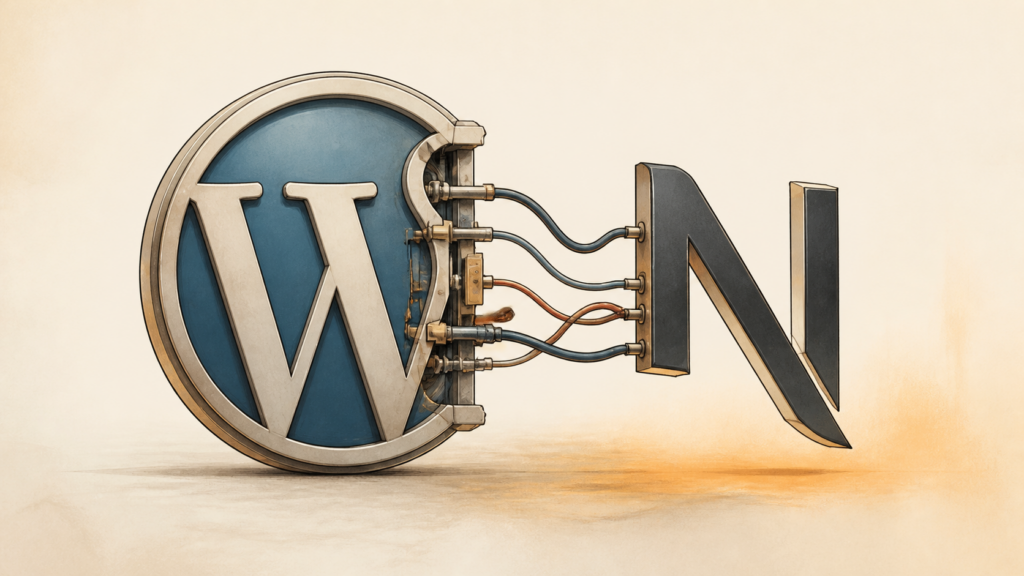
Headless WordPress with Next.js can make a site faster, easier to scale, and more flexible on the frontend. The tradeoff is extra setup, more to learn, and a need for developers who understand both WordPress and modern JavaScript.
WordPress plus Next.js is a useful pairing—but only for the right project. WordPress handles content. Next.js runs the public site. That can produce faster pages, expose fewer WordPress files to visitors, and make unusual interfaces far easier to build than they would be in a traditional theme. It is not magic. Two systems mean two sets of schedules, budgets, deployments, and maintenance decisions.
Honestly, the architecture is fashionable, but fashion is a poor reason to adopt it. This guide looks at where the setup helps and where it becomes frustrating. A large publication with a JavaScript team may benefit from the split. A small business that needs five pages and an easy editor probably will not.
What is headless WordPress with Next.js?
Headless WordPress uses WordPress as the content management system and Next.js as the public frontend. WordPress stores posts, pages, media, users, and other data. It sends that data through its REST API or GraphQL. Next.js receives the data and builds the pages visitors see.
In a traditional WordPress site, one installation stores content and renders the HTML through a theme. Headless WordPress separates those jobs. The frontend team gets more control. The team also inherits two applications to build and maintain. That second sentence is the part sales pages tend to skip.
Decoupling the frontend from the backend for more flexibility
A headless setup separates the presentation layer from the content layer. WordPress no longer depends on its usual theme system to display the public site. It becomes a content repository instead. It stores posts, pages, custom post types, media, and user data, then exposes that information through the REST API, such as /wp-json/wp/v2/posts, or through a plugin such as WPGraphQL.
Next.js reads the data and decides how to display it. One WordPress installation could feed a Next.js website, an iOS or Android app, and another digital product. Everyone works from the same content instead of copying it into separate systems. Convenient? Yes. Carefree? No. The shared source makes careful API design essential.
Frontend developers can use React components, their preferred styling tools, and newer browser features without working inside WordPress’s PHP templates. They can change the interface without rewriting the content system. They can scale the frontend and WordPress server separately when demand differs on each side.
Understanding WordPress as a CMS and Next.js as a frontend framework
WordPress keeps most of the features that make it familiar. Editors still use the admin dashboard to write and publish content, upload media, manage users, and organize categories or other taxonomies. Gutenberg, custom fields from ACF, and content plugins can remain in place.
WordPress does not render the public site’s HTML, however. It provides data. Next.js handles the interface, routing, page layouts, and browser interactions. The boundary is clear, but it is still a boundary the team must maintain.
Next.js can request WordPress data in several ways. Static Site Generation, or SSG, creates pages during a build. Server-Side Rendering, or SSR, creates a page when someone requests it. Client-Side Rendering, or CSR, fetches some data in the browser. Which option fits depends on how often the content changes and how interactive the page needs to be.
Next.js also includes file-based routing, image optimization, code splitting, and data-fetching tools such as getServerSideProps, getStaticProps, and getStaticPaths. These features give the frontend team direct control over rendering. WordPress manages content. Next.js manages presentation. Clean division. Shared responsibility.
Why does performance matter for headless WordPress with Next.js?
Fast pages affect how people use a site, how search engines evaluate it, and whether visitors complete an action. Headless WordPress can help with speed, but only when the rendering strategy and API requests are handled well. A slow WordPress API can erase the gains from a fast Next.js frontend.
Using SSR and SSG to improve speed
SSG often suits content that changes infrequently. Next.js creates static HTML files during deployment, and a CDN can deliver those files without asking WordPress to build each page on demand. For a site with 1,000 articles, the build can generate every article page ahead of time. In a well-configured setup, the first byte may arrive in under 100ms, though the actual result depends on the host, CDN, distance, and page design.
Static pages put less pressure on the server, especially during traffic spikes. A reader opening an article does not wait for PHP, a database query, and a theme to run before seeing the page. That is the basic win.
SSR takes a different route. Next.js renders the page on the server for each request, so it can show current data such as a personal dashboard or live news feed. It usually takes longer than serving a static file. The browser still receives formed HTML instead of waiting for JavaScript to build everything.
The choice is not always one or the other. Counter to the usual advice, combining strategies is often the practical answer. Incremental Static Regeneration, or ISR, lets Next.js refresh static pages on a schedule or after a content change. A news page might update every 60 seconds. A product page might update when inventory changes. This preserves much of the speed of SSG without requiring a full site build whenever an editor publishes something.
How API calls and data fetching affect page load time
Every part of a headless page has to come from somewhere. The title, body, images, author, related posts, and custom fields may all require data from WordPress. On an SSR page, those requests add directly to the visitor’s wait. During an SSG build, they add to deployment time instead.
A page may make one request for the main post and several more for related content, author details, comments, or taxonomy data. If each request takes 500ms and the page makes five requests in sequence, data fetching alone can take 2.5 seconds before Next.js starts rendering. Parallel requests reduce the delay, but they do not repair a slow API or an inefficient database query.
Teams usually request only the fields they need, batch related data, cache responses, and improve WordPress queries. GraphQL can help because one query can retrieve the fields for a complete page instead of sending several REST requests. Caching can happen in WordPress, Next.js, the CDN, or more than one of these.
The backend still needs enough CPU, memory, and database capacity to answer requests. Headless is not a guarantee of speed. It changes where rendering happens. If the API becomes the bottleneck, visitors will notice.
How does developer experience differ in headless WordPress with Next.js?
Developers gain frontend control and inherit more concepts to learn. The work shifts from PHP templates and WordPress hooks toward React components, API contracts, asynchronous data, and deployment pipelines. Teams already using JavaScript often find this comfortable. A WordPress-only team may need time to adjust.
Our take: this is usually a staffing decision disguised as an architecture decision. If nobody owns the Next.js side, flexibility quickly turns into unfinished work.
The learning curve for JavaScript frameworks and API integrations
Traditional WordPress theme work usually involves PHP, HTML, CSS, and some JavaScript or jQuery. Developers work with the WordPress Loop, the template hierarchy, and functions that query content directly.
With Next.js, they need a working knowledge of React, component state, asynchronous requests, and the way the chosen Next.js version handles rendering. They may also use Redux, Zustand, or React Context. On the WordPress side, they need to understand REST or GraphQL, HTTP methods, authentication, error handling, and the shape of the returned data.
A developer who has only built regular WordPress themes may feel as if the ground moved under them. A basic post loop that once took a few lines of PHP now involves an API request, a response type, a React component, loading behavior, and error handling. More flexible, perhaps. Simpler, no.
Expect the first few weeks to move more slowly. Teams have to agree on field names, URL rules, preview behavior, authentication, and what happens when WordPress returns missing or malformed data. This work is easy to underestimate because none of it appears in the final page.
It takes longer at first.
Benefits of modern workflows and frontend tooling
The learning curve pays off for teams that build many pages or several related products. Next.js fits into the wider React ecosystem, so developers can use tools such as ESLint, Prettier, Jest, React Testing Library, and the build tools managed by the framework.
React’s component model changes how teams organize the interface. A product card or hero section can be built once, tested in isolation, and reused across pages. That is usually easier to maintain than a large WordPress theme where markup, PHP logic, and styles are tightly mixed.
Fast Refresh makes the feedback loop pleasant. A developer changes a component and sees the result in the browser almost immediately. Less waiting. Less lost context.
Next.js lets developers choose SSG, SSR, ISR, or client-side behavior at the page or component level. They do not have to force every page through the same WordPress caching setup. We find this useful when a site has very different needs: an article can be static, while a logged-in dashboard stays dynamic.
What are the real content management tradeoffs?
The biggest change affects editors. WordPress still feels familiar in the admin area, but it no longer shows exactly what the public page will look like. The frontend lives elsewhere, so teams need a preview system and a clear plan for mapping content fields to components.
Why does this matter? Because a technically elegant system can still make publishing feel miserable.
Loss of direct visual editing and theme customization
Traditional WordPress gives editors several ways to see a page while they work. They can use the Customizer, a builder such as Elementor, or the block editor. They can change colors, spacing, fonts, and layouts without opening a code editor.
A headless site removes most of that control from WordPress. The admin stores titles, body text, images, links, and structured fields. Next.js decides how those fields appear. An editor who wants to change the background color of a hero section usually cannot do it from the WordPress dashboard. A developer must change the React component or its CSS.
That can slow down small design changes. It can also frustrate editors used to dragging blocks around and seeing the result immediately. The WordPress theme and its visual plugins may still work inside the admin, but they no longer control the public interface.
Plugins such as ACF can improve the editing experience by adding clear fields or custom blocks. They do not solve the whole problem. Content teams and frontend developers need a shared workflow so that a request such as “make this section narrower” has a clear owner and a realistic turnaround time.
Custom previews and content modeling
Preview is one of the first features a headless project needs. WordPress’s normal preview button cannot automatically show a page rendered by a separate Next.js application. Developers usually create a preview route in Next.js that requests draft content from WordPress and displays it somewhere protected.
A common setup passes a temporary token from WordPress to a preview URL. Next.js verifies the token, requests the draft or revision, and renders the page without making it public. This works, but it takes more effort than native WordPress preview. Authentication, expired links, permissions, and cache behavior all need attention.
A self-correction is worth making here: preview is not a finishing detail. If editors cannot trust it, the whole content workflow feels broken.
Content modeling matters just as much. In a regular WordPress site, the theme often determines the shape of the content. In a headless project, the team has to define that shape deliberately. That may mean creating custom post types, taxonomies, and fields with ACF or Carbon Fields.
Instead of relying on a theme’s built-in hero settings, a team might create fields called “Headline,” “Subheadline,” “Call to Action Text,” “Call to Action URL,” and “Background Image.” The names are simple. The decisions behind them are not. Someone has to decide which fields are required, how they behave on mobile, and what the frontend should do when an editor leaves one blank.
Too few fields make the frontend rigid. Too many make the admin slow and confusing. The best model usually comes from frontend and backend developers working with the content team before development starts. Otherwise, the project may spend weeks building a data structure editors dislike using.
How does SEO compare with traditional WordPress?
A well-built Next.js frontend can perform very well in search. Static and server-rendered pages give crawlers HTML to read, and the frontend team can control metadata directly. Traditional WordPress can also achieve strong SEO, but it may need caching, plugin configuration, and server tuning to reach the same results.
Using SSR, SSG, and metadata correctly
Traditional WordPress renders a page through PHP, database queries, and a theme. Caching can make the result fast, though it adds another layer to configure and troubleshoot.
With SSG, Next.js creates the HTML before a visitor or crawler asks for it. A CDN can then serve the file quickly. That can improve metrics such as Time to First Byte and Largest Contentful Paint, both of which are part of Google’s Core Web Vitals.
SSR is useful when content changes often. Next.js fetches the latest data on the server, builds the HTML, and sends it to the browser. Search engines can read the content without depending entirely on client-side JavaScript.
Developers can create page-specific titles, descriptions, Open Graph tags, and JSON-LD data from WordPress fields. In older Next.js projects, next/head handles much of this work. Newer versions use the Metadata API. Either way, the team controls the output directly.
SEO plugins such as Yoast and Rank Math can still provide useful data from WordPress. The frontend must fetch and render that data correctly. A plugin alone cannot fix missing routes, bad canonical URLs, an incomplete sitemap, or content that never reaches the page.
Dynamic content and crawlability
Highly dynamic sites need more planning. An online store with thousands of products and changing stock levels may not suit a single SSG build. SSR or ISR can keep the pages current, but each option has limits.
If ISR revalidates too slowly, crawlers may see old information. If it revalidates too often, build and server costs can rise. The team has to choose a period that matches the content instead of copying a setting from another project.
The Next.js application is also responsible for URLs and sitemaps. Tools such as next-sitemap can generate sitemap files from WordPress content, but the build or revalidation process must run when content is added or removed. Otherwise, new pages may stay invisible and deleted pages may remain listed.
Pagination, filters, and sorting need care as well. If every useful variation exists only after browser-side JavaScript runs, search engines may not find it. Server-rendered routes with stable URLs are safer. Every page worth indexing should have a URL that a crawler can request and understand.
What are the security implications?
Headless WordPress reduces the public exposure of the CMS, but it does not make the whole system secure by default. WordPress, the API, the Next.js server code, the browser application, and the deployment setup all need protection.
Reducing the WordPress backend’s public exposure
A regular WordPress installation exposes the theme, plugins, login page, and much of the CMS to the public internet. That creates several places for attackers to probe, including wp-login.php, vulnerable plugins, comment forms, and theme files.
In a headless setup, Next.js can serve the public site while WordPress handles content through an API. The admin area may sit behind a VPN or IP allowlist. Where the project permits it, the API can accept requests only from trusted applications.
This does not remove every WordPress attack. It can reduce exposure to attacks aimed at public forms, theme files, and the normal frontend. It also makes the server easier to harden because WordPress no longer needs to serve the public site’s assets and pages.
If a plugin vulnerability appears, the public frontend may continue working while the backend is patched, provided the vulnerability does not affect the API or the site’s data. That separation is useful during an incident. It is not permission to delay updates.
New security work in Next.js and the API
The frontend becomes a new place where mistakes can cause harm. User-generated content from WordPress must be escaped or sanitized before Next.js renders it. If an attacker inserts a script into a post and the frontend renders it as trusted HTML, that script may run in visitors’ browsers.
The API is another important target. REST, GraphQL, or a proxy layer needs authentication and authorization when private data is involved. Rate limits can slow brute-force and denial-of-service attempts. Input validation helps prevent injection attacks. The API should return only the fields a client needs, especially when records contain personally identifiable information.
Next.js server code and API routes need their own review. Secrets such as API keys belong in protected environment variables and must not enter the browser bundle. Dependencies need regular updates because a vulnerable npm package can affect the whole application.
Teams should test both sides of the system. Dependency scans, access reviews, focused penetration tests, and checks against the OWASP Top 10 are useful. The architecture does not provide security by itself.
It still needs discipline.
When should you choose headless WordPress over a monolithic setup?
Headless WordPress makes sense when the project needs a custom application-like interface, high traffic, several frontends, or a frontend team that already works with React. It is a poor fit when the main needs are quick setup, simple editing, and a modest budget.
Projects that need high performance and custom interfaces
Consider a commerce site expecting millions of visitors each month. Under heavy traffic, a traditional WordPress site may struggle to keep a sub-100ms TTFB even with caching, because PHP and database work still happen somewhere in the request path.
Next.js can pre-render product and article pages and serve them through a CDN. A news site publishing hundreds of articles each day might use ISR so new stories appear without rebuilding the entire site. That can help during a traffic spike, although the WordPress API and publishing workflow still need enough capacity.
Scaling is another reason. A monolithic WordPress site often scales by adding server resources or creating a more complicated setup with load balancing and database replication. A Next.js frontend can distribute static assets through Cloudflare, Vercel, or another CDN while the WordPress server focuses on content requests.
The frontend can also behave more like an application. Interactive dashboards, live charts, account areas, and unusual navigation patterns are easier to build in React than inside a conventional WordPress theme. If the interface is the product, that freedom may justify the extra work.
Teams with frontend specialists and complex integrations
Headless WordPress suits organizations with a frontend team that knows React and modern JavaScript. It is less suitable for a team that depends on page builders and ready-made themes for most frontend work.
The same setup can help when the product connects to several outside systems. A project might need Salesforce, Segment, HubSpot, and a custom login service. Adding a plugin for each integration inside WordPress can create conflicts and increase the amount of code running on the CMS.
Next.js can act as the application’s integration layer. API routes can keep private keys on the server, combine responses from several services, and send the browser only what it needs. That gives developers more control, but it also makes the Next.js application a real backend in places. The team must maintain and secure it accordingly.
What are the operational and maintenance costs?
Headless WordPress means maintaining two applications. Each has its own hosting, updates, deployments, logs, and failure modes. The work is manageable, but it is not free.
It never is. The cost is not just hosting; it is coordination.
Managing WordPress and Next.js separately
WordPress still needs core, plugin, and security updates. The team needs backups, database maintenance, server patches, and checks for broken API responses. A site with 10 to 20 plugins can have several updates to review in a typical month.
A vulnerability in ACF or Yoast, for example, may require an immediate WordPress patch even when the Next.js frontend has not changed. PHP upgrades and MySQL tuning remain part of the job too.
The Next.js project has a separate dependency tree. A project may include hundreds of direct and transitive npm packages. Moving from Next.js 13 to 14, or between later major versions, can require code changes and new testing.
Debugging takes longer because a problem can sit in several places. The API endpoint may be wrong. A WordPress query may be slow. A network request may fail. The Next.js rendering code may mishandle the response. Teams need people who can trace a request across both systems, or they need a clear handoff between backend and frontend specialists.
Deployment, hosting, and CI/CD
A monolithic WordPress site can often deploy as one application. A headless site has at least two deployment processes. WordPress may run on a LAMP or LEMP stack, while Next.js may run on Vercel, Netlify, AWS Amplify, or another platform.
WordPress deployments can involve file changes, database migrations, cache clearing, and plugin updates. The Next.js deployment usually installs dependencies, runs tests, executes next build, and publishes files or server functions.
A change to a WordPress custom post type may also require a frontend release. If the Next.js code expects a new field, both systems need to change in a compatible order. Teams may use staging environments, API versioning, or feature flags to avoid breaking production.
CI/CD helps, but it creates more configuration. The WordPress pipeline may test plugins and deploy to staging. The Next.js pipeline may run unit, integration, and end-to-end tests before publishing to a CDN. More pipelines mean more logs and monitoring points. That is the price of the split.
What future trends may affect adoption?
The future of this setup will depend on better APIs, changes in frontend frameworks, and simpler hosting. Those improvements may remove some of today’s friction, but they will not make the architecture as simple as a regular WordPress theme.
The WordPress REST API and GraphQL
WordPress has included its REST API since version 4.7. It is dependable, but it can return too much data, too little data, or require several requests for related resources. Developers often solve those problems with custom endpoints or a middleware layer.
WPGraphQL offers another approach. A single query can request the post, author, categories, and featured image instead of making three or four REST requests. Smaller payloads and fewer round trips can make a noticeable difference on pages with many related objects.
GraphQL also provides typing and introspection, which help developers understand the available data. If support becomes more deeply integrated with WordPress, building complex Next.js frontends may become easier. Gutenberg’s block system may also expose block data in more consistent ways, giving frontend teams better material to work with.
Frontend frameworks and serverless hosting
Next.js continues to add tools for image handling, ISR, server components, and other rendering patterns. Those features matter to WordPress sites because content often changes at different speeds. A page can stay static for a week while a news article needs an update within a minute.
Hosting has also become easier. Vercel, Netlify, AWS Amplify, and Cloudflare Pages connect to Git repositories, run builds, distribute assets through CDNs, and provide serverless functions. Teams do not have to manage every frontend server themselves.
Edge delivery can put content closer to visitors, which may reduce latency across large geographic areas. The benefits depend on the application, cache rules, and location of the WordPress API. Frontend deployment is becoming easier to distribute, while WordPress remains the system editors use to manage content.
Frequently asked questions
What are the main performance benefits, and do they justify the extra complexity?
The main benefits are faster delivery, server-rendered HTML, and more options for caching and static generation. Those gains can justify the work for a large publication, busy store, or application with strict performance targets. They usually do not justify it for a small site where a well-cached WordPress theme already loads quickly.
How does the architecture affect editors and other nontechnical users?
Editors still use the WordPress dashboard, but they may no longer see live frontend changes while editing. The team needs a preview route, staging site, or another review process. That adds a few steps and can make simple design changes depend on a developer.
What are the long-term maintenance and hosting costs?
Costs can rise because the team operates two systems and needs skills in both WordPress and Next.js. The frontend may also require separate hosting, monitoring, and deployment tools. Some projects recover that cost through better scaling and fewer frontend plugins, but smaller sites usually will not.
What security benefits and drawbacks does headless WordPress have?
The public site does not directly expose the WordPress theme, login page, or most plugin behavior, which can reduce the CMS’s attack surface. The API and Next.js application become important targets instead. They need authentication, authorization, input validation, rate limits, safe rendering, and regular updates.
When is headless WordPress overkill?
It is usually too much for a brochure site, a small blog, or a project with little dynamic content and limited development funding. If the priority is quick launch, easy visual editing, and low maintenance, a traditional WordPress site is often the better choice. Is this overkill? For a five-page business site, probably. For a high-traffic application, not necessarily.
The extra moving parts should solve a real problem. Otherwise, they are simply extra moving parts.