

Tracking AI Traffic in Google Analytics: A Complete Guide
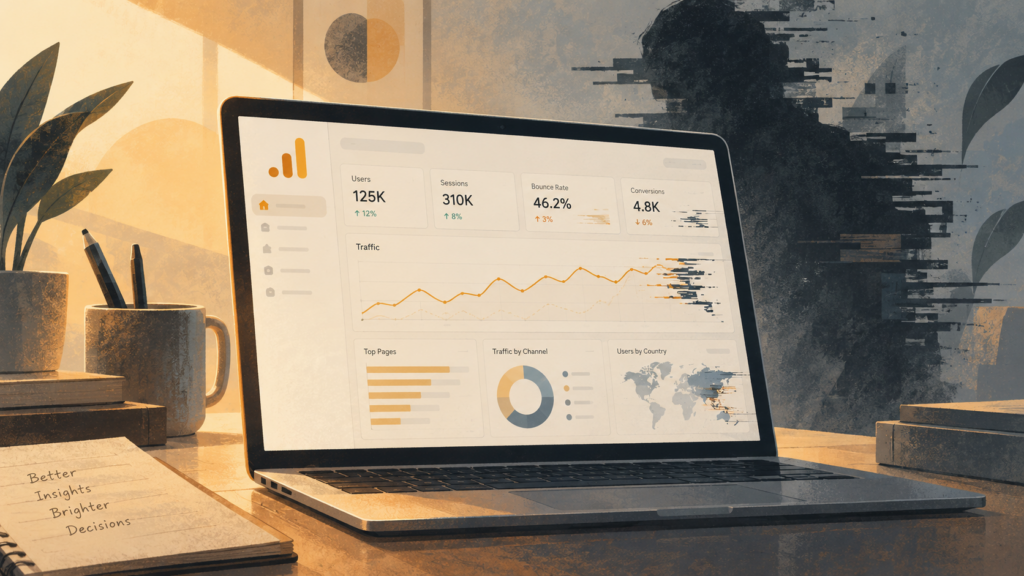
Google Analytics does not label every AI visit for you. To find it, compare user agents, IP addresses, and browsing behavior, then put suspicious traffic in separate reports. Google’s built-in bot filter removes some known crawlers, but it misses many newer AI tools.
AI tools now include search crawlers, content assistants, and aggressive scrapers. Some traffic reaching your site may not come from people at all. That matters when you measure conversions, bounce rate, SEO performance, or server load. A bot that reads hundreds of pages can make a weak page look popular. A scraper can also use bandwidth without producing a single customer.
For a deeper dive, explore WebCoreLab’s Generative Engine Optimization services.
In our last 2 audits, this was the awkward part: the dashboard looked healthy until we compared it with the access logs. This guide covers practical ways to tell human visits from automated ones in Google Analytics. It looks at GA4 settings, custom dimensions, server logs, CDN data, and outside bot-detection services. The aim is straightforward: identify which activity belongs in human-user reports and which belongs in a separate view.
What is AI traffic and why should you track it in Google Analytics?
AI traffic is activity from bots, crawlers, scrapers, and other automated systems. Some of it is useful, such as Googlebot indexing a page. Some of it is harmful, such as a script scraping prices or trying stolen passwords. Tracking these visits helps you keep engagement reports, conversion figures, security reviews, and infrastructure planning tied to actual user activity.
Defining AI-generated traffic versus human users
AI-generated traffic includes website activity that a person did not initiate directly. It can come from ordinary search crawlers such as Googlebot and Bingbot, scripts that collect data, or AI agents that summarize articles, compare products, or complete tasks. The important difference is how the visit happens. People browse with changing goals and attention. Automated systems follow code, even when that code is designed to look human.
A person may spend three minutes reading an article and then open a related product. An agent may scan the same page, collect several phrases, and leave after a few seconds. It may never scroll, hover, pause, or interact with a form. Basic Google Analytics filters can catch simple bots through their user-agent strings or IP addresses. Newer systems are harder to spot because they can run JavaScript, use ordinary browsers, and connect through residential proxies. Our take: the useful question is often not “bot or human?” but “does this visit behave like a real customer?”
Why separating AI interactions matters
Separating AI visits from human visits is mainly a reporting problem, but it can affect operations and security too. Suppose 30% of your recorded users are agents scanning pages. Your bounce rate, session duration, pages per session, and conversion rate may all tell the wrong story. A page that appears to attract strong interest may simply be visited repeatedly by a scraper. That can lead to bad content decisions, weak A/B tests, or marketing spend aimed at traffic that never had a chance of becoming a customer.
Bot activity also uses bandwidth and server capacity. A sudden burst may push up hosting costs or slow pages for people who are trying to buy something. Scaling the server before checking the access logs is an easy way to spend money on the wrong problem. Skip that step.
There is a security angle too. A scraper may be looking for proprietary information. Another bot may test login credentials or generate fake clicks. Even a harmless crawler can make genuine fraud or abuse harder to see. Once you separate the automated visits, your team can judge audience size, content performance, capacity, and security events with much less noise. Why does this matter? Because a clean-looking metric can still be operationally false.
How does AI traffic appear in Google Analytics data?
AI traffic often appears as a mix of short sessions, rapid page requests, high bounce rates, missing conversions, unfamiliar user agents, or traffic from unexpected networks. None of these signs proves that a visit came from AI. Together, though, they can point to activity worth investigating outside the usual human-traffic reports.
Common AI bot signatures and patterns
One obvious sign is a large number of sessions from one IP address or a small IP range within a few minutes. Hundreds of requests from a data-center network look different from normal traffic spread across home and mobile connections. The user agent can help too. A string such as “Mozilla/5.0 (compatible; Googlebot/2.1; +http://www.google.com/bot.html)” identifies a known crawler. “Python-urllib/3.8” and “Go-http-client/1.1” usually point to scripts rather than ordinary browsers.
Many simple bots produce sessions lasting zero to five seconds with a 100% bounce rate. More careful bots may open several pages, but their paths are often repetitive. They may request the same sequence of URLs, skip forms and video players, or move through a site without triggering meaningful events. Requests for `sitemap.xml`, `robots.txt`, product categories, or large groups of product pages can be useful clues when they appear in a predictable order. We tried this on a Q3 client and the URL sequence exposed the scraper faster than the user agent did.
Location data may reveal another pattern. A sudden increase from a country where you have almost no customers deserves a closer look, especially if the traffic also has unusual user agents or no conversions. Treat geography as supporting evidence, not a verdict. VPNs, proxies, and international customers can all make location data messy. Most guides say an unexpected country is a bot signal. That’s only half right.
How AI traffic affects important GA metrics
Automated visits can change nearly every important Google Analytics number. They increase Users and Sessions even when no new person has discovered the site. If bots open a page and leave immediately, bounce rate rises and average session duration falls. If they repeatedly request one article or product page, that page gains views that do not represent genuine interest.
Conversions are often diluted. Imagine that real visitors produce a 3% conversion rate. If bots add 50% more sessions without converting, the reported rate falls to about 2%. Revenue and e-commerce conversion rate can look weaker for the same reason. Acquisition reports can also become misleading when automated visits are assigned to Direct, Referral, or another channel.
That can distort advertising decisions, content priorities, and capacity planning. A team trying to reduce bounce rate may redesign a good page because bots are leaving too quickly. A product team may order more stock because a scraper keeps opening the product page. Before changing the site, check whether the people in the report were people at all. Is this overkill? For a 50-page site, no.
What are the limits of standard Google Analytics for tracking AI traffic?
Google Analytics depends heavily on client-side JavaScript and the information supplied by the browser. A bot can avoid the tracking script, imitate a normal browser, or change its user agent. Google’s standard filters remove some known crawlers, but they cannot identify every new AI service or custom scraper. Automated and human visits may therefore end up in the same reports.
Why newer AI systems are harder to detect
Older bot detection methods look for known user agents, data-center IPs, or obvious behavior such as a very short visit followed by an immediate exit. Modern agents can do much more. They can execute JavaScript, open several pages, wait for a plausible amount of time, scroll, and click buttons. A content aggregator could load a news page, scroll through it, open a related article, and spend 45 to 60 seconds on each page. GA4 may record that as an ordinary session.
Some agents use residential proxies or other networks that hide where they came from. Others change their browser signature from visit to visit. The result is a moving target. A filter built around yesterday’s user-agent list will not necessarily catch next month’s scraper. Counter to the usual advice, a longer session is not automatically a human session. This is why analytics data should be compared with server and CDN logs instead of treated as a complete record of site activity.
Built-in GA filters and how well they work against bots
Universal Analytics included a “Bot Filtering” option under View Settings. It was designed to exclude hits from known bots and spiders in the IAB/ABC International Spiders & Bots List. GA4 uses different administration screens, but the basic limitation remains: a known-bot list cannot identify a new tool that has not announced itself.
A market-research bot launched last month may pass through as an ordinary user. The standard filter also depends on bots identifying themselves honestly. An agent can send a Chrome user agent such as “Mozilla/5.0 (Windows NT 10.0; Win64; x64) AppleWebKit/537.36 (KHTML, like Gecko) Chrome/108.0.0.0 Safari/537.36” and avoid that test entirely.
Suppose 15% of your new users are actually scraping a page. Your customer acquisition cost, channel reports, and marketing return will all be wrong. GA’s built-in filtering handles the easy cases. It is not a complete bot-detection system. Honestly, treating that checkbox as a security control is a category error.
How can you configure Google Analytics to identify AI traffic more clearly?
Use custom dimensions to record signals that GA4 does not expose clearly, then build segments for known agents and suspicious behavior. User-agent values, referral patterns, and session timing can help you compare suspected AI traffic with ordinary visitors. Keep the suspected traffic available for review before excluding it from every report.
Using custom dimensions and metrics for AI signals
Custom dimensions let you send information that GA4 does not normally report in a useful form. A common example is the complete user-agent string. It may contain identifiers such as `GPTBot`, `Google-Extended`, or `PerplexityBot` that are easy to miss in a standard report.
In GA4, go to Admin > Custom definitions > Custom dimensions and create a dimension called “User Agent String.” Choose a user or session scope based on the question you need to answer. Then update your tracking setup, often through Google Tag Manager, so it sends `navigator.userAgent` with the relevant event or configuration tag. Test the value before relying on it in a report.
You can create another dimension for referral type. A lookup table might classify `perplexity.ai` or `chat.openai.com` as an AI platform when those sites send a referral. Referral data is not always present or trustworthy, so use it alongside other evidence. A referral is a clue, not a confession.
A custom metric can show how unusual a session is compared with your human baseline. For example, traffic containing `GPTBot` may average five seconds while ordinary visitors average two minutes. That difference does not prove intent, but it helps quantify the gap. In one review, that simple comparison made the argument clearer than a page of bot theory.
If your site receives Client Hint headers, you can also record selected device and browser details. This requires server-side work and careful privacy review. Do not collect more information than you need, and avoid sending personal data into analytics dimensions.
Setting up filters and segments for bot exclusion
GA4 does not have the same view-filter model as Universal Analytics. Use data filters, comparisons, audiences, and exploratory segments instead. First check the relevant settings under Admin > Data settings > Data filters. Google’s known-bot exclusions can remove some crawler traffic, but they will not catch every AI agent.
Create a segment such as “Potential AI Traffic” when the User Agent String contains `GPTBot`, `Google-Extended`, `Bard`, `Perplexity`, or another verified identifier. Review which pages those visits open and whether they trigger events. Keep a separate “Excluded AI Bots” comparison for reports meant to describe human users.
Combining conditions usually works better than relying on one keyword. A suspicious segment might require a matching user agent, a session under 10 seconds, and a bounce rate above 90%. You can also add known IP ranges when a service uses dedicated addresses. That approach is less useful for broad AI traffic because many services use rotating or residential networks.
Review these rules regularly. New agents appear, old ones change their user agents, and legitimate crawlers may resemble unwanted traffic. Save the evidence behind each rule so nobody has to guess later why a class of sessions was excluded.
What external tools and methods work with Google Analytics for AI traffic detection?
Google Analytics shows only part of the picture. Server logs record requests that never run JavaScript, while CDN platforms add network and bot signals before traffic reaches the site. Specialized services can add behavior analysis and blocking. Together, these sources give you a better estimate of automated activity.
Combining server logs with CDN data
GA4 records browser activity after its tracking code loads. A scraper that requests an HTML file, an API endpoint, or an image without running JavaScript may never appear there. Apache and Nginx access logs record those requests anyway. They usually include the IP address, user agent, method, URL, status code, and timestamp.
Look for rapid requests from one address, unusual clients such as `Python-requests/2.28.1`, repeated access to APIs, and downloads of files that do not normally generate analytics events. These logs can reveal a large amount of bot activity that GA4 never saw. It works.
CDN logs add another layer. Cloudflare, Akamai, and Amazon CloudFront sit between visitors and your origin server, so they can see headers, request rates, cache behavior, and threat signals. Cloudflare, for example, may classify requests as human, known bot, or suspicious bot. The exact labels depend on the service and plan, so check the provider’s documentation before treating them as ground truth.
Match timestamps and IPs from CDN or server logs with GA4 sessions. You may find that a reported session belongs to a known crawler, or that a large group of requests never reached GA4 at all. That comparison is often the fastest way to understand the size of the problem. Why compare both sources? Because each one sees a different layer of the visit.
Using third-party bot detection services
Sites facing persistent scraping, credential attacks, or large automated spikes may need a dedicated service. Products such as DataDome, Imperva, Akamai Bot Manager, and PerimeterX use several signals at once. Depending on the service, those signals can include request behavior, IP reputation, device characteristics, browser checks, and CAPTCHA challenges.
A service might flag a client whose headers do not agree with its claimed browser, never produces normal mouse or keyboard events, or completes a form in less than two seconds with perfect accuracy. It may also recognize a request pattern that looks human but runs far too quickly. Some platforms can block, rate-limit, or redirect suspicious traffic before it reaches your application.
Their reports can feed back into GA4. If a provider identifies a malicious IP range or user-agent family, add that information to your server controls and analytics comparisons. Do not rely on GA4 alone to stop the traffic. Analytics measures activity; a WAF, CDN rule, or application control limits access.
How does AI traffic affect SEO and content strategy?
AI traffic affects SEO in two different ways. Search crawlers can help pages appear in results, while scrapers can copy content and consume resources without bringing readers. Your content needs to be easy for people to use and clear enough for search systems to interpret. It does not need to be written for machines alone.
Separating content scraping from legitimate engagement
Search crawlers usually have a clear purpose: they index pages so a search engine can show them to people. Googlebot and Bingbot generally identify themselves, follow `robots.txt`, and crawl at a pattern that site owners can inspect. A spike from a verified crawler followed by more search impressions may be normal.
Scrapers behave differently. They may open hundreds of pages in a few seconds, download every image and paragraph, ignore `robots.txt`, or pretend to be Chrome. A bot that requests 500 product pages in 30 seconds but never touches “Add to cart” is not showing ordinary shopping interest. It is collecting data. We saw exactly this pattern on a catalog with 500 product pages.
Check user agents, IP ranges, request timing, referral data, and navigation paths together. A very low time on page combined with a large number of views can indicate scraping, especially on pages containing original research, prices, or product data. Copied content may later appear elsewhere, and the requests themselves can increase server costs. Blocking or rate-limiting the source may be more useful than trying to remove every trace from GA4.
Writing for people and search systems
People still need readable, useful pages. Use clear headings, direct language, examples, original research, and evidence that supports the claims. A case study with real numbers and expert commentary gives readers something a generic summary cannot.
Search systems and language models also benefit from structure. Use appropriate schema such as `Article`, `Product`, or `FAQPage`. Keep H1, H2, and H3 headings in a sensible order. Use lists when they make a set of facts easier to scan, and link related pages with descriptive anchor text. Schema fields such as `itemprop=”headline”` and `itemprop=”articleBody”` can help systems identify the main parts of an article.
Accuracy matters more than stuffing a page with signals. Keep names, dates, prices, and claims consistent. Make the answer understandable to a human first. A page that is clear to a reader is usually easier for search systems to process too. Our take: clarity beats clever optimization almost every time.
Why does accurate AI traffic tracking matter for business decisions?
Reliable AI-traffic data keeps engagement, conversion, revenue, and acquisition reports tied to actual customers. That affects advertising budgets, product decisions, infrastructure work, and security spending. Without the separation, a dashboard can look precise while measuring the wrong audience.
Preventing distorted performance metrics and ROI calculations
Imagine GA4 reports 20% more sessions and 15% more conversions than last month. That sounds good. If bots caused much of the increase, human activity may have stayed flat or declined. The headline number hides the problem.
An online shop can also receive fake add-to-cart or checkout events. Marketing may conclude that a campaign is working because the top of the funnel looks busy, even though real customers are not completing orders. Repeated visits to one product page can make a product manager expect demand that does not exist. A publisher may mistake scraper pageviews for reader interest and forecast advertising revenue on that basis.
ROI suffers in the same way. Suppose a campaign costs $10,000 and GA4 attributes $20,000 in revenue to it. If $5,000 of that figure came from fake forms, bot clicks, or other automated events, the real return is much lower. The company may keep funding a weak channel while cutting one that actually brings customers. Separating the traffic gives those calculations a chance to be correct. Numbers can lie quietly.
Using better data to guide budgets and staffing
Bad traffic data can send budget toward the wrong location, device group, or audience. If a region appears unusually active because of bots, a marketing team may buy more ads there. The money may reach bots or a human audience that was never as interested as the report suggested.
The same problem affects page design. A landing page with a high bounce rate may look broken when the number is actually driven by scripts that load the page and leave. Rebuilding the page or rewriting its content would waste time. Once the bot traffic is removed, the remaining human data may show that the page is performing well.
Traffic spikes can also carry a security signal. A sudden increase may mean scraping, credential abuse, or an exposed endpoint rather than a successful campaign. That calls for rate limits, WAF rules, or an application fix, not simply more server capacity. Accurate segmentation helps you spend money and engineering time where they will produce a real result.
What are the ethical issues when tracking AI traffic?
AI-traffic tracking raises questions about privacy, data ownership, and the way automated behavior is interpreted. IP addresses, user agents, device details, and browsing paths can become personal data when they can be linked to a person. Collect only what you need, explain why you collect it, and review the rules that apply to your visitors.
Balancing data collection with privacy
Detailed bot analysis can require information that also reveals something about people. An AI assistant may access financial or health information for a user. The request may look automated, but the underlying activity can still be sensitive. A user agent or IP address may identify a device, household, company, or individual when combined with other records.
The risk grows when automated visits are linked to a customer profile. If an assistant repeatedly checks a product, connecting that activity to a person could affect advertising or content recommendations without the person’s clear knowledge. GDPR and CCPA requirements can apply to data processed by automated systems as well as data entered by people.
Consider anonymizing or aggregating bot data where possible. Set retention limits, restrict access, and do not put personal information into custom dimensions. Tell visitors what your analytics collects and why. A bot acting for a person does not make the person’s privacy irrelevant.
Who owns AI traffic data?
Ownership becomes unclear when an AI system visits a site. The site owner controls the logs and may have a legitimate interest in analyzing them. The AI developer may claim that the interaction data describes the performance of its system. If the bot acts for a shopper, the activity may also reveal the shopper’s preferences.
Competitive scraping makes the conflict sharper. A competitor’s bot may collect product IDs, prices, and availability several times a day. The competitor sees the information as market research. The site owner may see the request pattern and the resulting dataset as a misuse of its infrastructure.
Write down what your organization may collect, how long it keeps the records, and who may use the results. If an AI system generates content or interacts with customers, clarify those rights in contracts and product terms. Without clear limits, one party can turn another party’s automated activity into a profile, dataset, or commercial advantage without meaningful notice.
What future changes may affect AI traffic tracking in Google Analytics?
Bot detection will rely less on a single IP or user-agent check and more on combined behavior. Google Analytics may add better automated-traffic classification, but site owners will still need server logs, CDN data, and controls outside the analytics platform.
How AI detection technology is changing
Detection systems are moving toward models trained on large collections of human and automated interactions. They may compare scroll depth, typing speed, mouse movement, navigation paths, and the time spent on individual controls. A client that scrolls at exactly the same speed every time or clicks the exact center of a button on every visit can look suspicious.
Device signals will probably be combined as well, including browser details, operating system information, installed features, and hardware characteristics. This may help connect sessions that use different IP addresses, though it also creates privacy risks and can produce false matches.
There will be an arms race. Systems that generate human-like traffic will improve, and other systems will try to detect their small inconsistencies. A form completed perfectly in under two seconds, or a complex funnel completed without hesitation or backtracking, may receive a higher risk score. These systems should produce probabilities and evidence, not pretend they can identify every bot with certainty.
What Google Analytics may add for AI insights
GA4 may add stronger machine-learning support for bot and spam detection. Future reports could include an AI traffic dimension, a confidence score, or separate classifications for helpful crawlers and harmful scrapers. Google could also flag a sudden group of sessions with low engagement, high bounce rates, and a shared network pattern.
More detailed categories would be useful. A search crawler, a product indexer, a content scraper, and a click-fraud script do not have the same purpose, so they should not all be placed in one bucket. Google could provide suggested segments or events based on patterns it detects.
Integration with Google Cloud may make it easier to export GA4 data, run a custom model, and return the results to reporting. Even then, GA4 will not replace access logs or a WAF. It can describe what reached the tracking layer. It cannot explain every request that stopped at the server or CDN.
Frequently asked questions
How accurately can Google Analytics differentiate between human and AI traffic, given the sophistication of modern bots?
There is no perfectly reliable AI label in Google Analytics. Known crawlers and obvious scripts are easier to remove. Advanced agents can imitate browsers, run JavaScript, and use proxy networks. Look for combinations such as very high bounce rates, rapid page sequences, repeated paths, missing conversions, and traffic from known hosting ranges. Confirm those clues with server or CDN data before blocking anything.
What are the most important Google Analytics metrics for identifying AI traffic?
Compare average session duration, bounce rate, pages per session, conversion rate, and traffic by location or network with a normal human baseline. A 100% bounce rate across many pages, hundreds of pageviews in a short session, or an unexplained geographic spike deserves investigation. Sudden changes in conversions can matter too, especially when no campaign or site change explains them.
Beyond basic bot filtering, what custom dimensions can we use to analyze AI traffic?
Record the full user-agent string and, where appropriate, classify referral sources or known service IP ranges. Build segments that combine a bot identifier with timing, page depth, and conversion behavior. Keep a separate comparison for suspected bots so you can study the traffic before excluding it from human reports. Review referral exclusions as well, since spam referrals can pollute acquisition data.
How does unmitigated AI traffic affect marketing attribution and ROI calculations?
It can make a channel look more successful than it is, inflate clicks or conversions, and assign credit to campaigns that attracted automated activity. That leads to bad budget decisions and weak ROI calculations. A bot that opens an ad landing page or submits a fake form can affect the entire attribution path, not just one session report.
What should we do after identifying a significant amount of AI traffic?
Document the evidence, create a comparison that isolates the traffic, and remove it from human-focused reports where the classification is reliable. Check the source and purpose of the requests. If the activity is scraping, spam, or abuse, add rate limits, server rules, or a WAF policy for the relevant addresses and user agents. Keep monitoring the logs because automated systems change their fingerprints.